






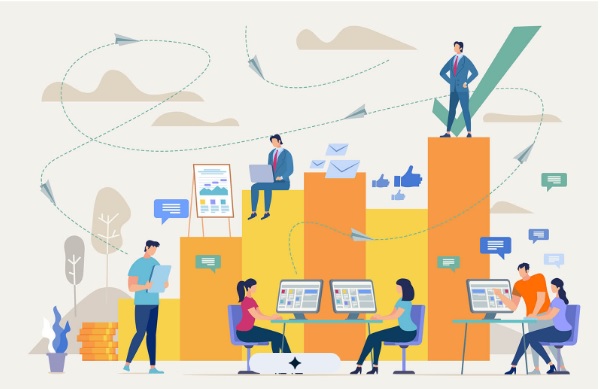
Remote teams thrive when managers can see how work is going, and when they know company devices are safe.
Here’s how it all fits together. Each section starts with its main point, so you can read straight through without stopping to puzzle anything out.
Remote Work Needs Two Kinds of Visibility
Key point: Managers need a view of the work and a view of the equipment.
An office gives you plenty of cues without trying. You can see who’s buried, who’s free, and where the laptops are. Spread a team across homes, cafés and airport lounges, and those cues disappear.
Two tools help you get them back. Employee tracking shows how work flows, and remote locking protects devices. Both are easy to grasp, and side by side they make remote work feel steady.
Employee Tracking Shows How Work Flows
Key point: Tracking pulls scattered work into one clear picture.
It records active time, breaks, attendance and the hours going into each project, then shows everything in simple views.
Here’s why that helps. One long day tells you very little. Three weeks of long days suggests someone could use support. Since tracking reveals patterns over time, managers can notice a stretched teammate early and lend a hand.
It’s good for individuals, too. Time records give people something to point to, so feedback feels fairer and strong effort gets noticed.
Remote Locking Protects Devices Wherever They Are
Key point: A lost or unused device can be secured within moments.
Remote locking means an authorised person can lock a work device from a distance.
Here’s why that helps. If a laptop goes astray, or someone leaves the company, a delay carries risk. A quick lock keeps company information safe and lets everyone else get on with their day. It also gives people the freedom to work from a café or a client’s office with confidence.
Together They Cover the People and the Equipment
Key point: One tool supports people, and the other protects their devices.
It helps to think of remote work as having two halves. The people half is about workloads, time and recognition, and tracking supports it. The equipment half is about devices and data, and remote locking protects it.
With both in place, a manager can offer help when someone is stretched and secure a device when it goes missing. Neither needs everyone in the same room.
A Simple Week Shows How It Works
Key point: Small, calm moments add up to a steadier team.
Picture an ordinary week with both tools running. A manager spots a teammate working long days and offers to take a task off their plate. A new starter’s laptop is listed and ready before their first morning. A device goes quiet, someone checks in, and it’s sorted before it becomes a problem. A lost laptop is locked within minutes.
Nothing dramatic happens, and that’s the whole idea. Good remote practices tend to look calm and consistent.
Introduce Them with Trust
Key point: People welcome tools they understand.
Most of the unease around tracking comes from not knowing what it’s for. A clear explanation takes care of that, so cover these points:
- What is tracked, and why
- How the information will be used
- That the focus is on work devices and work activity
- That employees can see their own data
- When remote locking would be used, and by whom
A short written policy helps too. It takes about an hour and saves months of questions.
Choose Software That Keeps Things Simple
Key point: The best tool is the one your team will really use.
Look for software that:
- Is easy to set up for remote, hybrid and office teams
- Has dashboards that make sense at first look
- Includes remote locking with sensible controls
- Let’s employees see their own data
- Has strong privacy and security settings
A quick test: if the dashboard makes sense within five minutes, you’re off to a good start.
Start Small and Build
Key point: You can change things a step at a time.
First, tell your team what you’re setting up and why. Next, spend a couple of weeks watching your work patterns, so you know what normal looks like. Then use what you learn to balance workloads and plan ahead. Finally, add device safeguards such as remote locking.
Every step builds on the one before, so nothing feels sudden.
Nixo Pulse is a Simple Place to Start
Key point: A free trial lets you see your own team’s patterns.
At Nixo, we put people first when we build technology. Nixo Pulse gives teams a clear view of work patterns, attendance, workload and productivity, which is the heart of good employee tracking.
Inside Nixo Pulse, you can see how your team’s days flow, spot who might be stretched, and plan with real insight. Transparency is built into the way we work, so the insights help remote teams do their best without anyone feeling watched.
There’s a 14-day free trial, so you can explore it with your own team’s data.
Final Thoughts
Remote work works best when people feel supported and devices stay safe. Employee tracking takes care of the first part. Remote locking takes care of the second.
Start small, explain it clearly, and let the benefits show for themselves.